I spent February on adding a polycentric arcTo command to the single-stroke font editor, and updating Bannermode.
In February I continued working on the single stroke font editor (see November entry for more), specifically the font editor side of it.
The main addition was a new path command: arcTo. The command is a tangent-following "polycentric arc", which is based on my previous work. The following explanation is slightly long-winded and technical but I hope it illustrates the thought process that went into it.
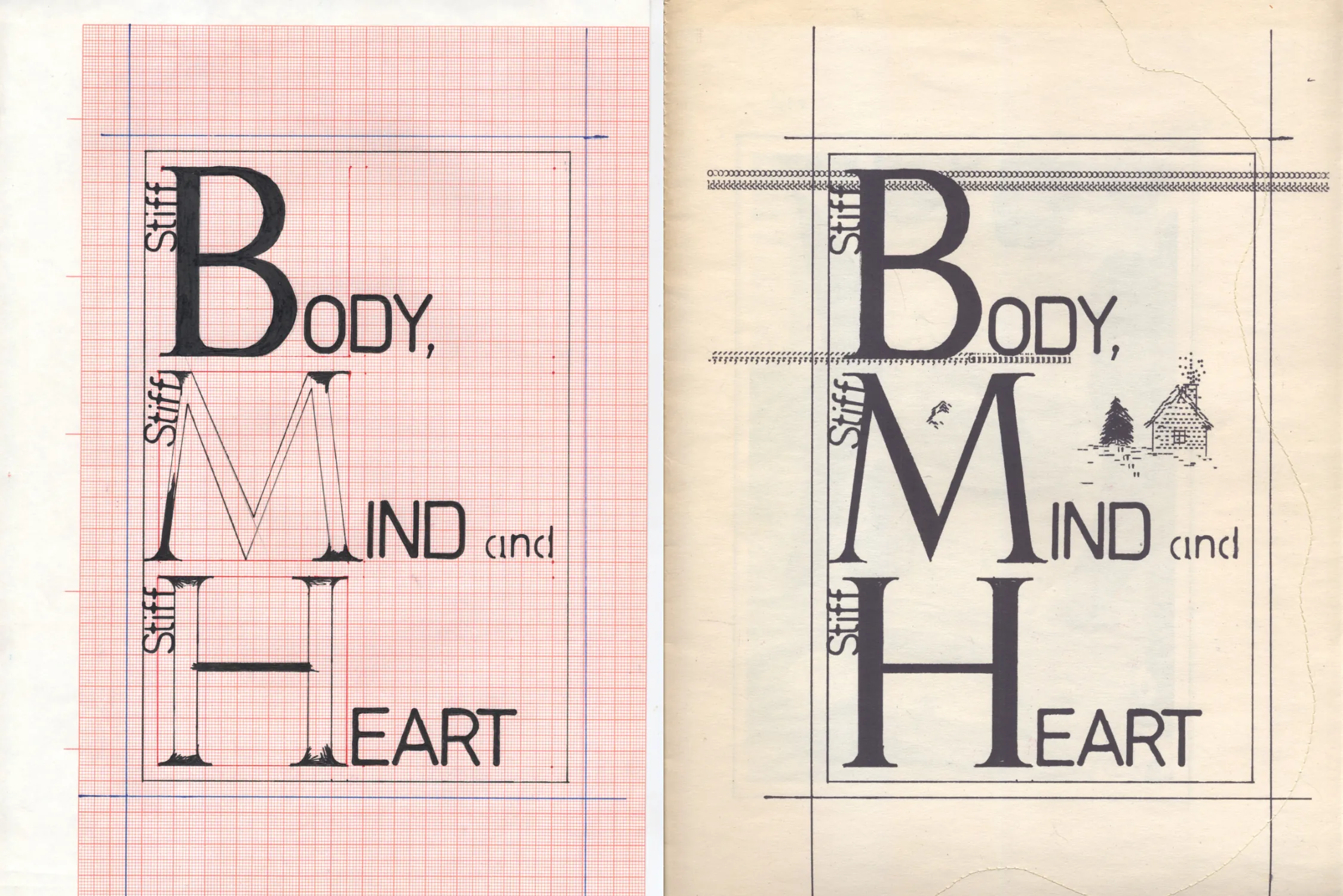
The idea for a new curve drawing method and tool started to formulate in my head around 2023. I had found a few items at second hand stores:
On the Internet Archive I had also found a few interesting books: The power of form applied to geometric tracery (by Billings, Robert William, 1851), which contained simple guides for drawing elaborate gothic traceries, and Albrecht Dürer's classic Vnderweysung der Messung (1525), which contains guides for drawing letters with compass & rule.
Celtic Design and Ornament for Calligraphers looks like one of those cheap Dover books, but is actually a wonderful treasure trove. And it's title doesn't really do it justice either; I think it's less about celtic design or even calligraphy, but more about the fundamentals of compass & rule drafting. It taught me the basics, how to do stuff like bisecting, drawing a square, and how to apply those ideas for design in general. Then, after playing around with the compass and trying to replicate some of the Dürer's alphabets for a zine I was making with my partner Gladys Camilo, and trying to loosely replicate some of the designs from the The power of form applied to geometric tracery for no particular reason, I realized two things:
And I tried many, many tools. I don't have the full list anymore, but I went through all popular general drawing tools I could think of, all geometry focused drawing tools I could find, and all of the more obscure or old drawing tools that I thought could have the following set of features:
Most geometry based drawing tools I tried had some set of compasses and rulers, but no fill. And most conventional drawing / vector tools I tried had no compass, and those that had some kind of arc-making tool were completely inadequate: arcs were not for curve drawing but for pie charts. Professional CAD tools I skipped because they all lack the UX for drawing. The best programs I found were Infinite Painter (for mobile) and Sketchbook, which both had decent compasses, rulers and fill tools, but the UX for changing between tools, being precise or trying to adjust the compasses and rulers was too slow for an effective workflow.
I wanted to see if I could come up with my own tool. I didn't know where to start, so I figured a popular library with good 2D primitives would surely give me a good foundation. I started making a demo with p5.js, but quickly hit a wall: p5.js arc() assumes arcs are always drawn clockwise! Which means, if I wanted to draw an arc counterclockwise, I would have to still draw the arc clockwise but make it look like it goes counterclockwise. Doable, but completely counter-intuitive and a headache to code.
I scrapped p5.js and switched to Pixi.js, because its arc() can be set to go counterclockwise. I managed to get a something working:
But, the question of drawing direction still gave me trouble: If I have two points (and an origin), how do I determine (in code) if the arc between these two points should be drawn clockwise or counterclockwise? What if I want to draw an arc that's more than a half-circle? What if I want to backtrack? This is the solution I came up with:
...it works, but the unwieldiness of the method didn't inspire me to continue. I had to sit on it a bit more.
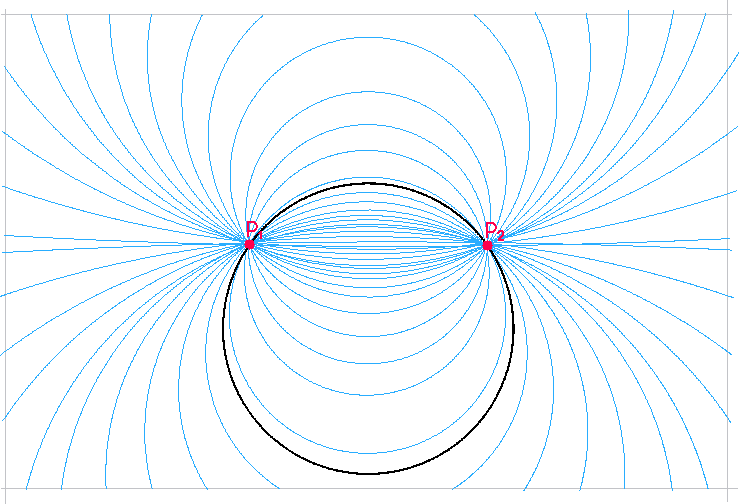
So, about a year later (in 2024), I had a thought: if I have two points P1 = (x1 y1) and P2 = (x2 y2), there's an infinite amount of circles that passes between these two points...
...but, if P1 also has a direction, only one circle is tangent to that direction while passing through both points. I could use this to draw a series of connected arcs at their tangents by just clicking points to a canvas without having to fiddle with anything!
All I had to do is figure out how to get the origin of the circle based on the P1 and its direction vector. The easiest way, for me, was to draw it out:
Start with two points P1 = (x1 y1) and P2 = (x2 y2) and a direction for P1.
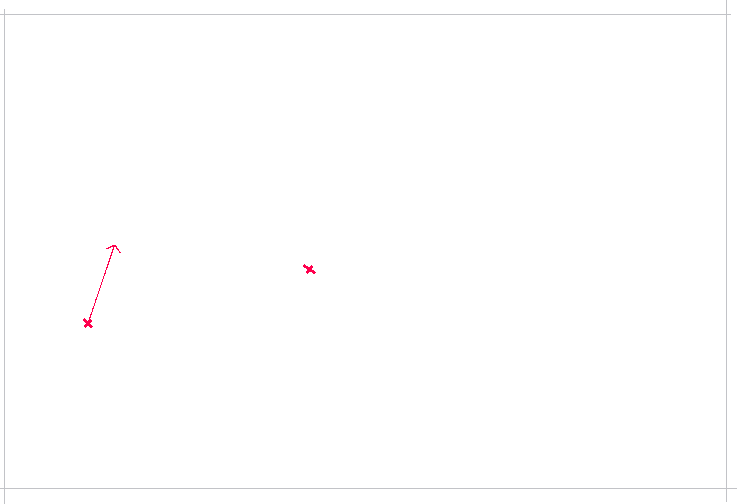
Draw a line connecting P1 and P2.
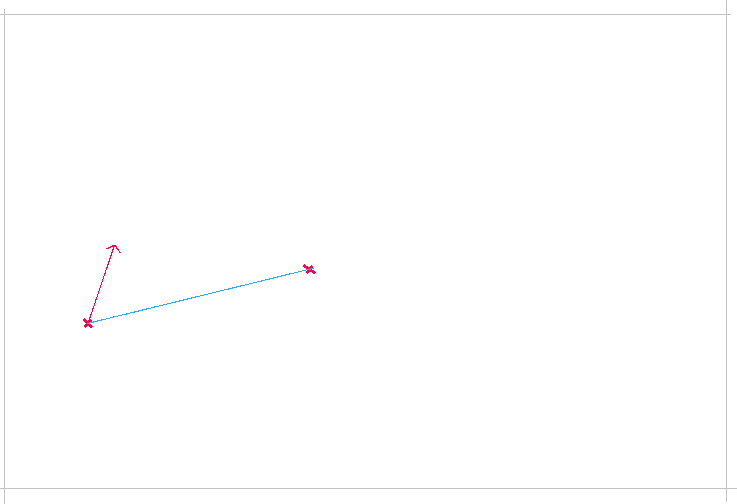
Draw two overlapping circles at both points.
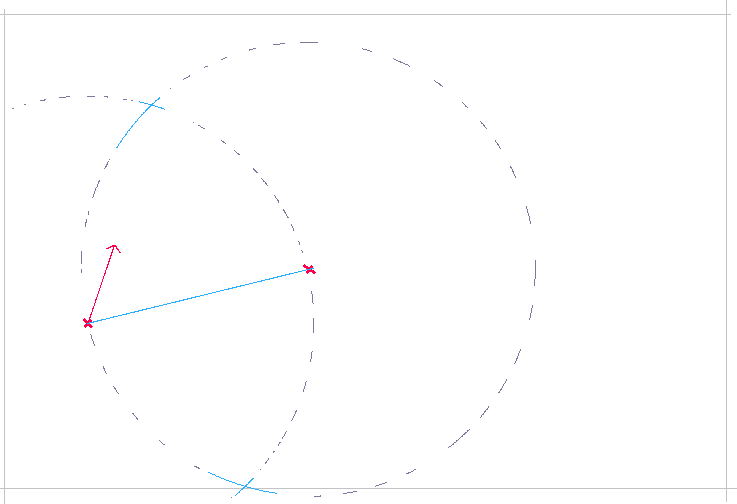
Draw a line between the intersections of the overlapping circles, bisecting the P1→P2. The centre of any circle passing through P1 and P2 must lie somewhere on this bisector, because the centre is equidistant from both endpoints.
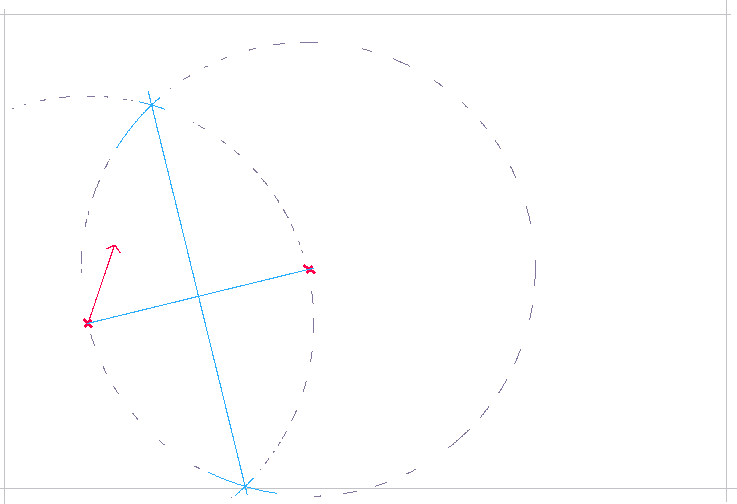
Draw two lines starting from P1: one towards the P1 direction and one perpendicular to it, until they intersect with the bisector. The perpendicular intersection with the bisector marks the origin of arc circle!
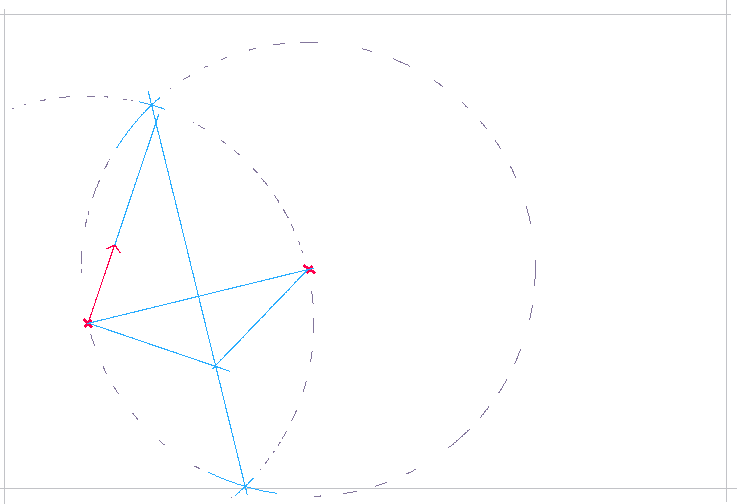
Draw an arc at the origin, connecting P1 and P2.
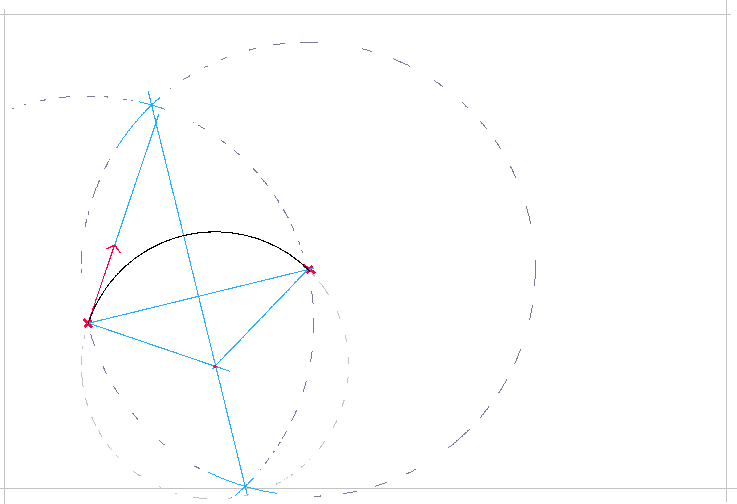
First segment done! Draw a new point P3 to continue the curve. The tangent direction of P2 is perpendicular to origin→P2.
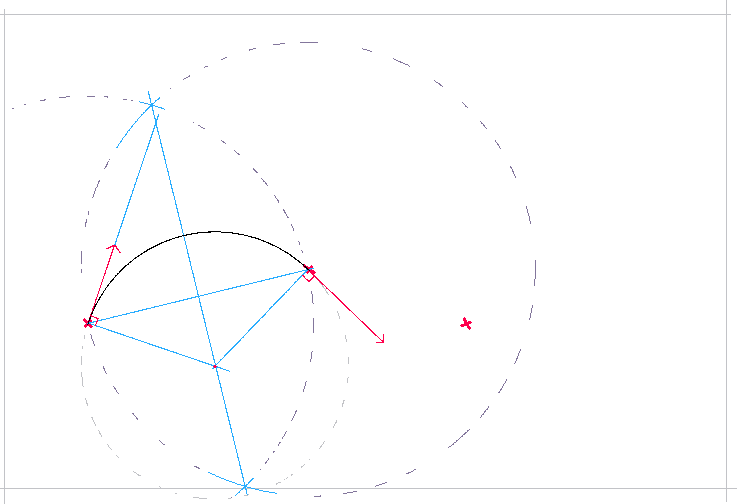
Repeat the previous steps for P3.
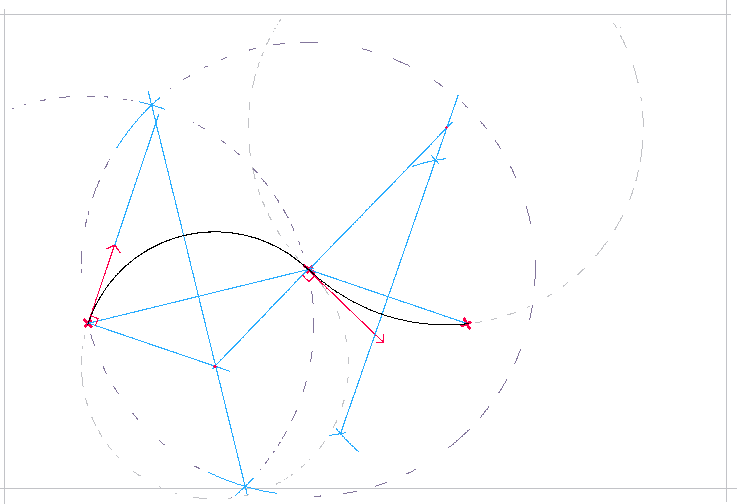
And yet again for P4.
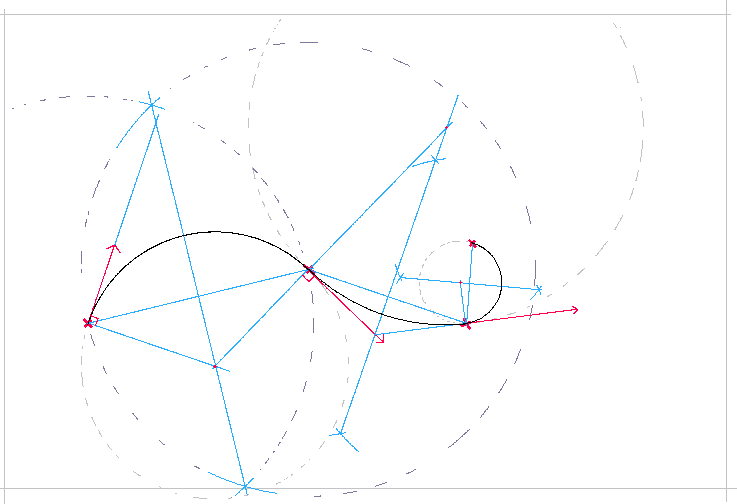
The resulting curve is smooth and continuous!
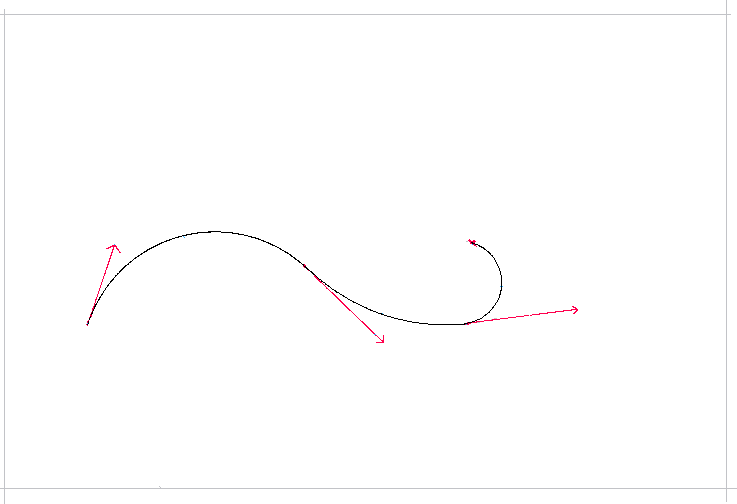
After figuring this out on paper, I could turn it into code. In short, start with an arbitrary direction and two points (eg. clicking on canvas), then:
Try it below!
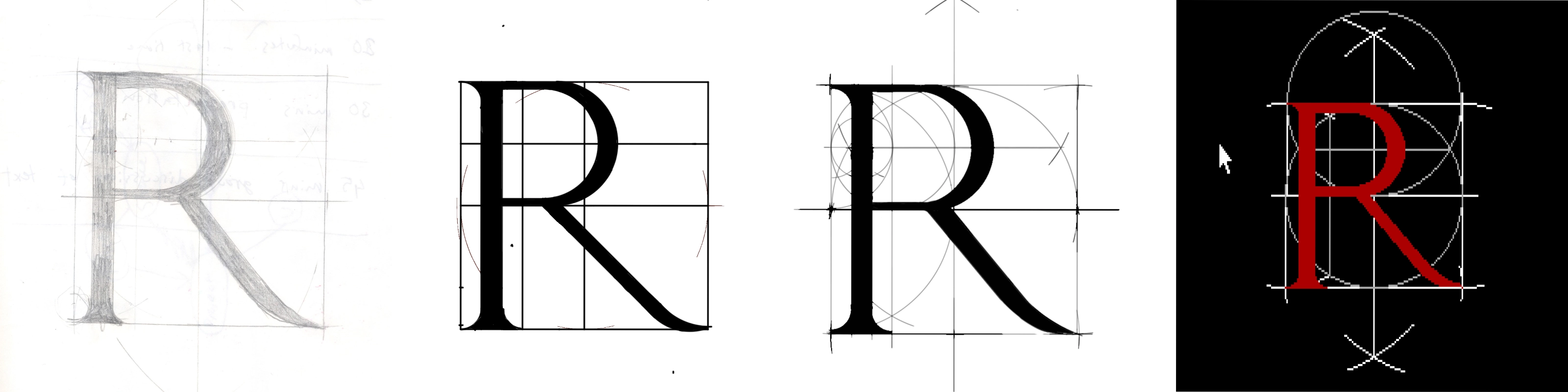
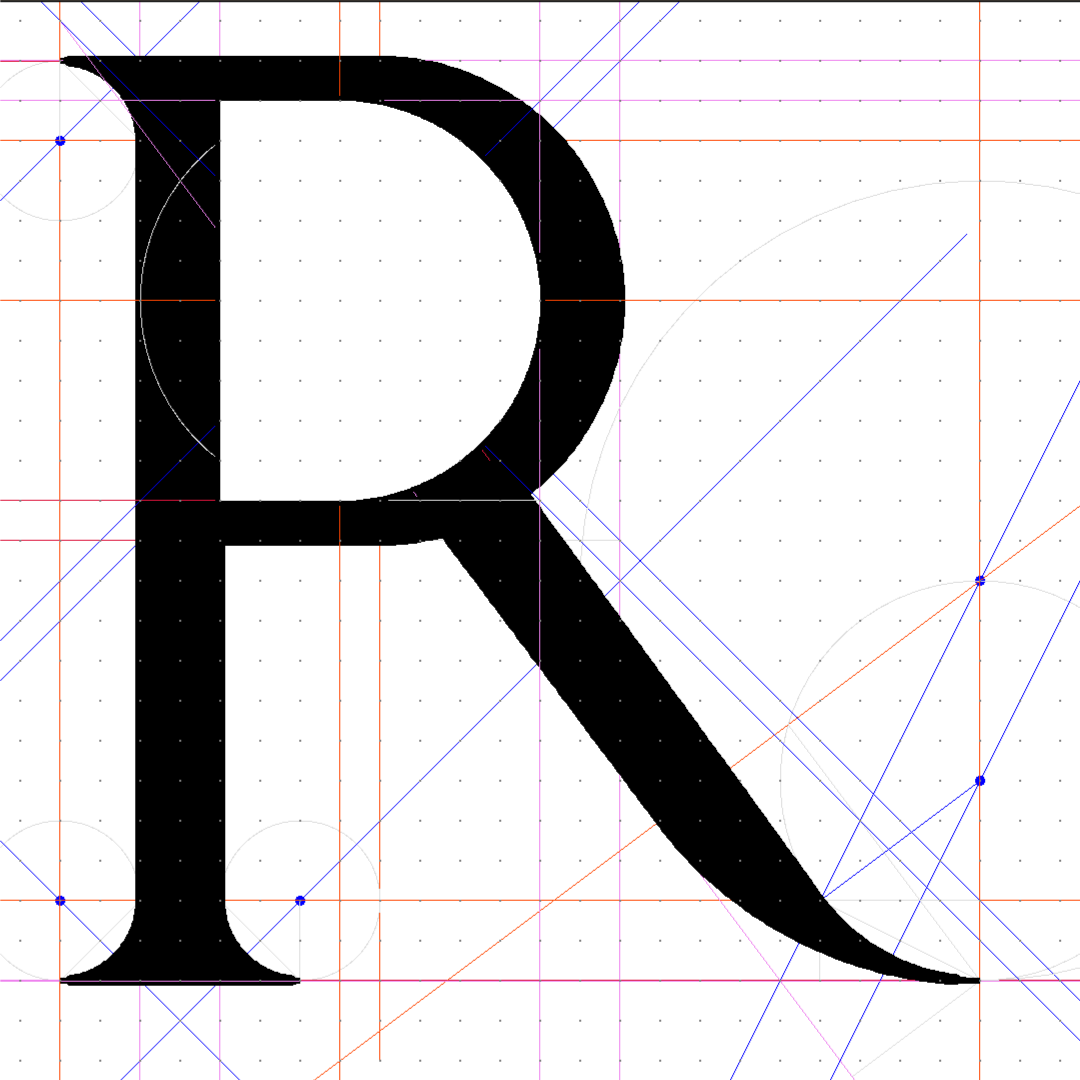
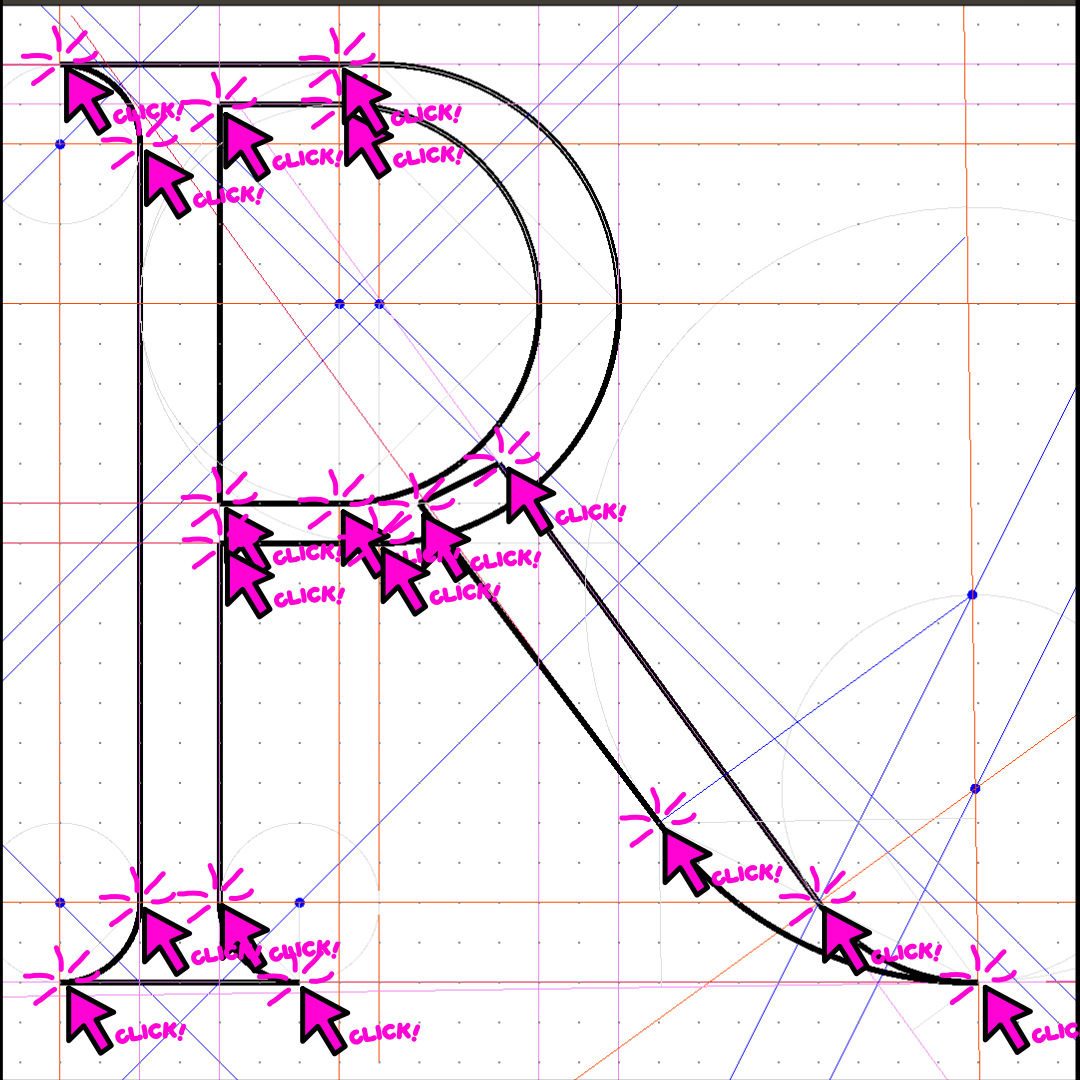
With that, I could finally draw the Dürer style letters as I wanted! And, what amazed me, was that drawing the R below took me only 18 clicks in total! I had to compare it to a Bézier based method, and drew the same (but wonkier) R in Glyphs. It took me 233 clicks! This tool could save me from a carpal tunnel if I started drawing a full font family :)
But, even more surprisingly, this method also contained an entirely new visual language (these are made with a small prototype I made in Godot):
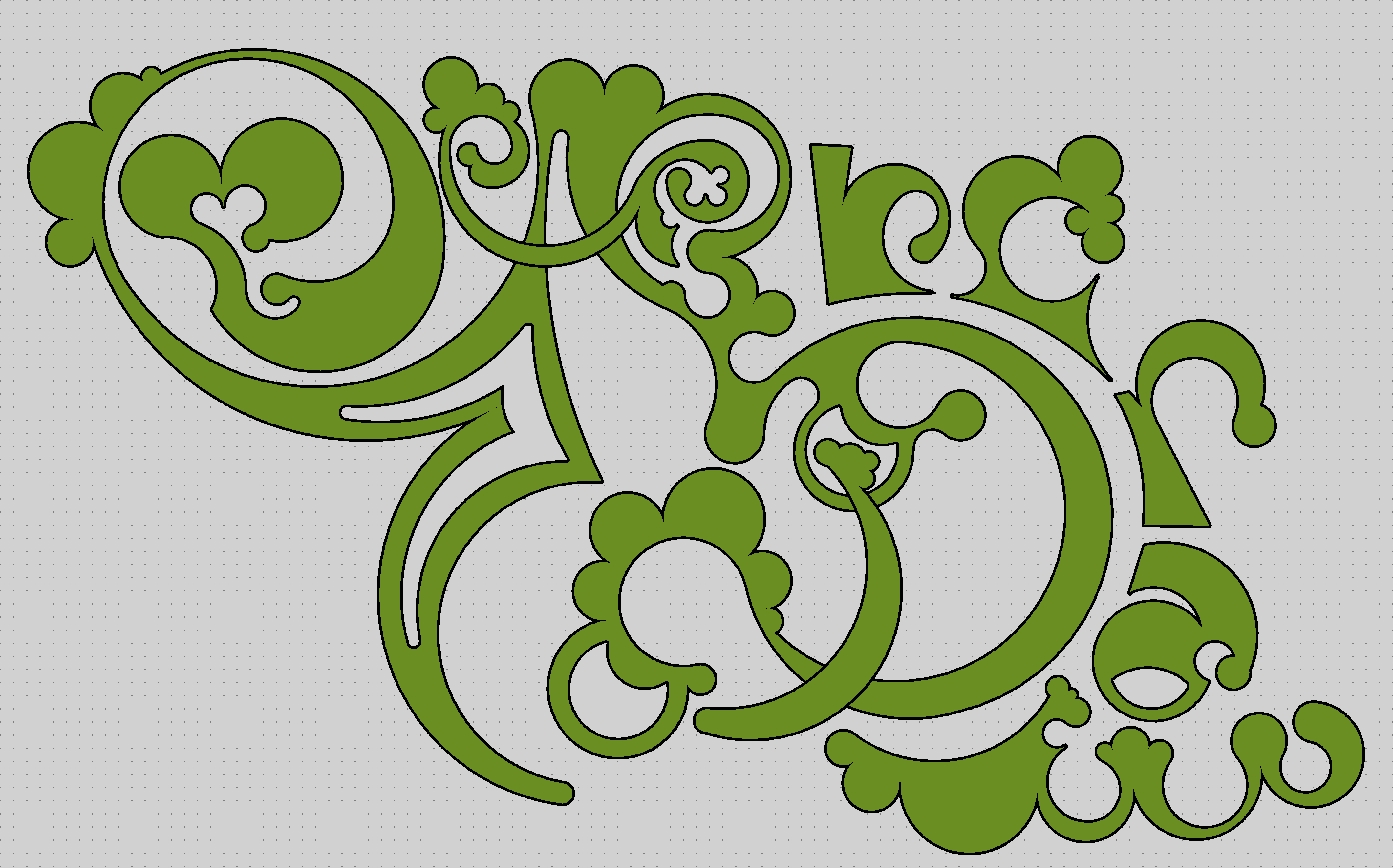
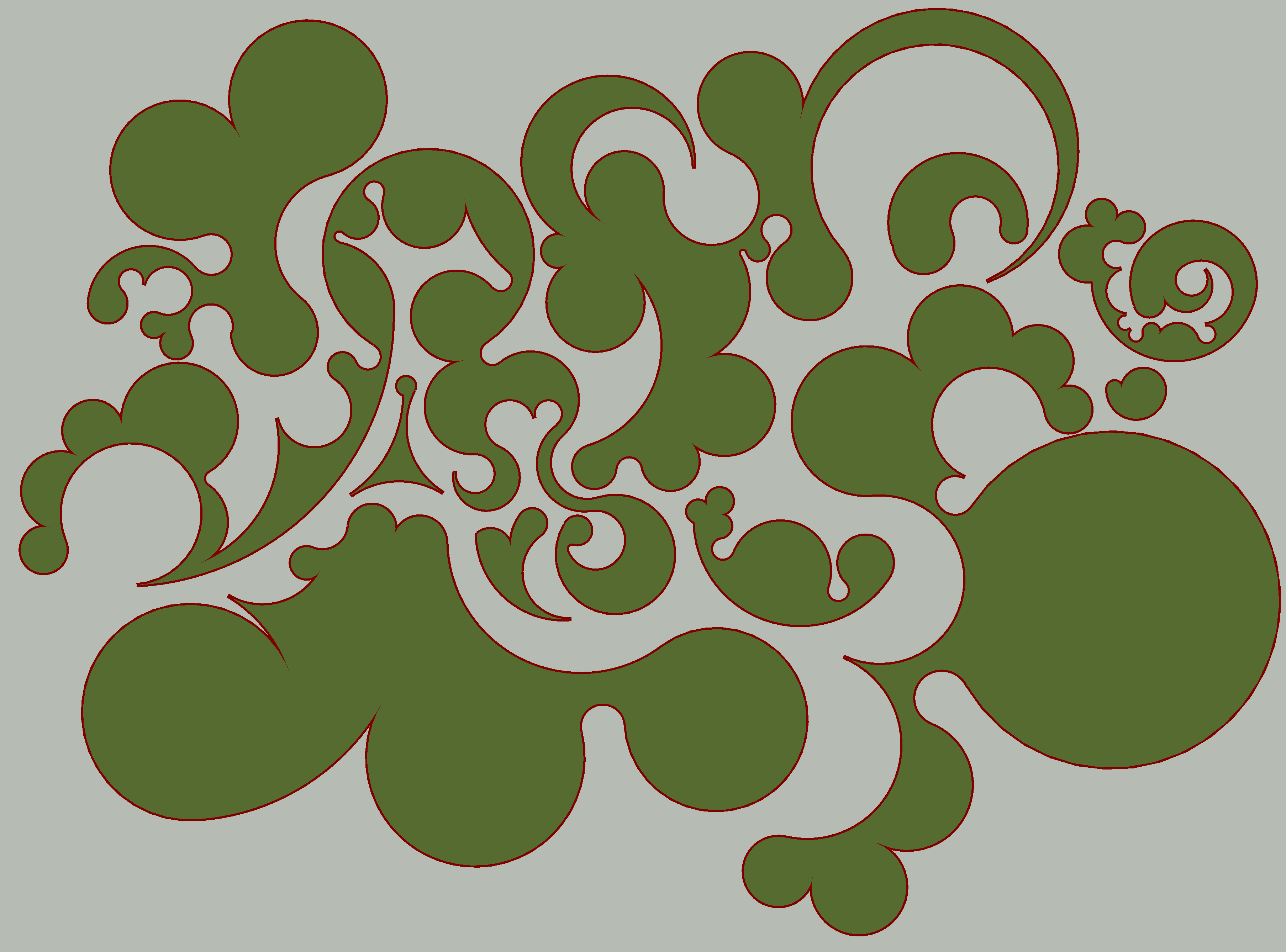
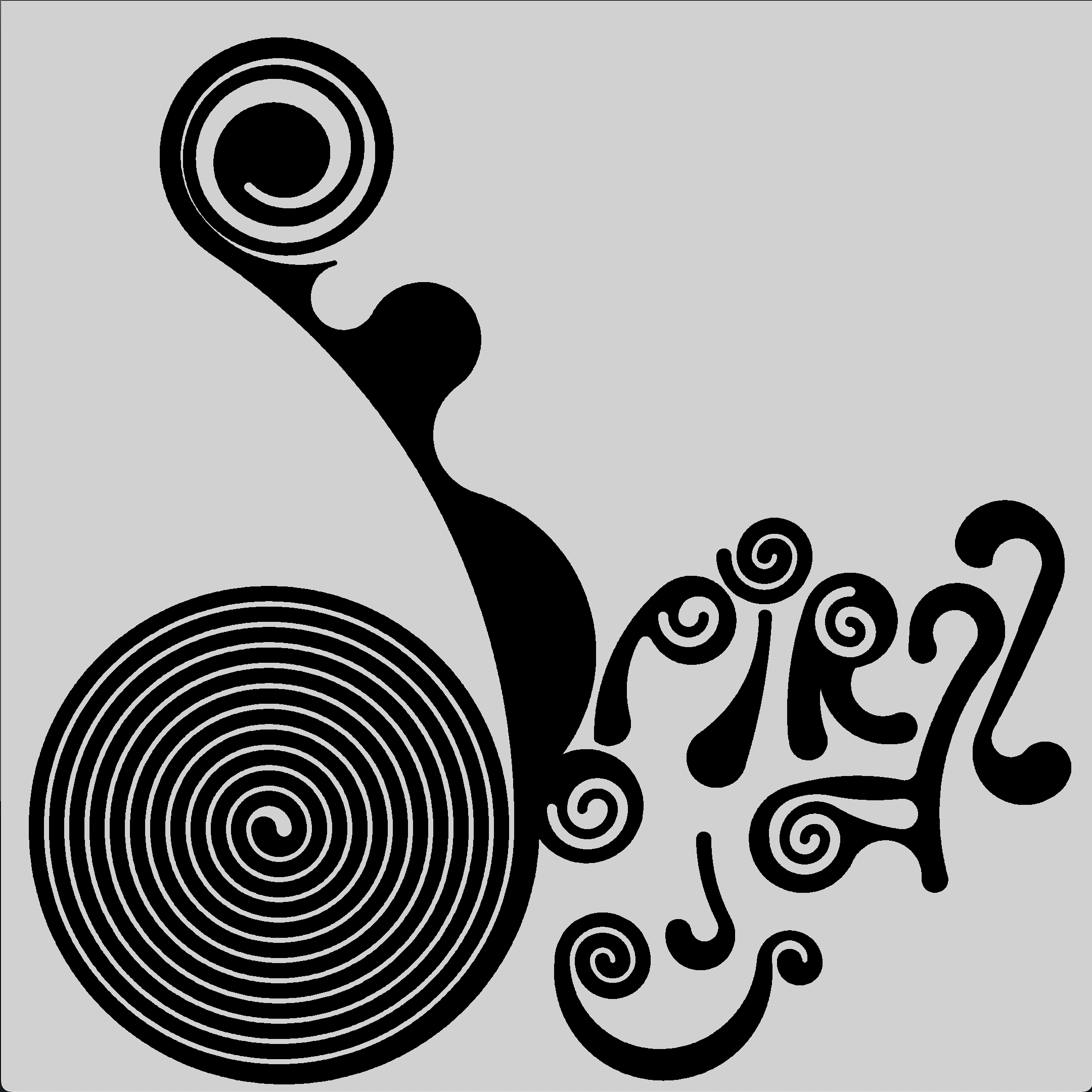
That is ALL to say, I figured I'd add that to the single stroke font editor! So, arcTo command now draws polycentric (arc) curves.
I made a font with it. It's fairly basic, but I wanted something simple and useable from the get-go:
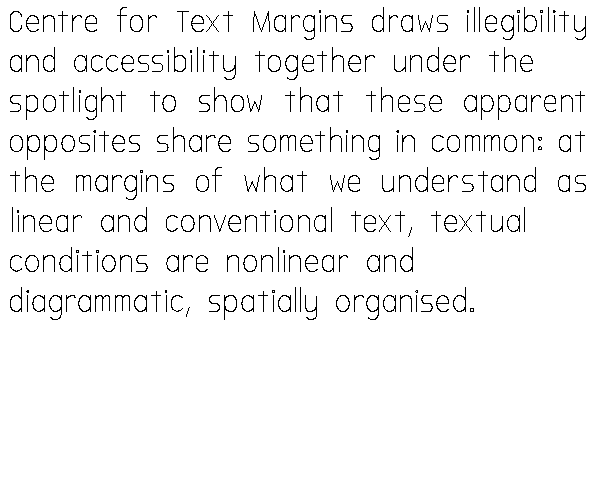
I also added an OTF export (using opentype.js), then just stroked the font in Glyphs, and used Behdad Esfahbod's halfkern to kern it properly. From start to finish, took about a day (it has support for Latin-1).
The font is in use on the Centre for Text Margins website, and it's being used for other communications too. It's paired with Bookish by Helsinki Type Studio.
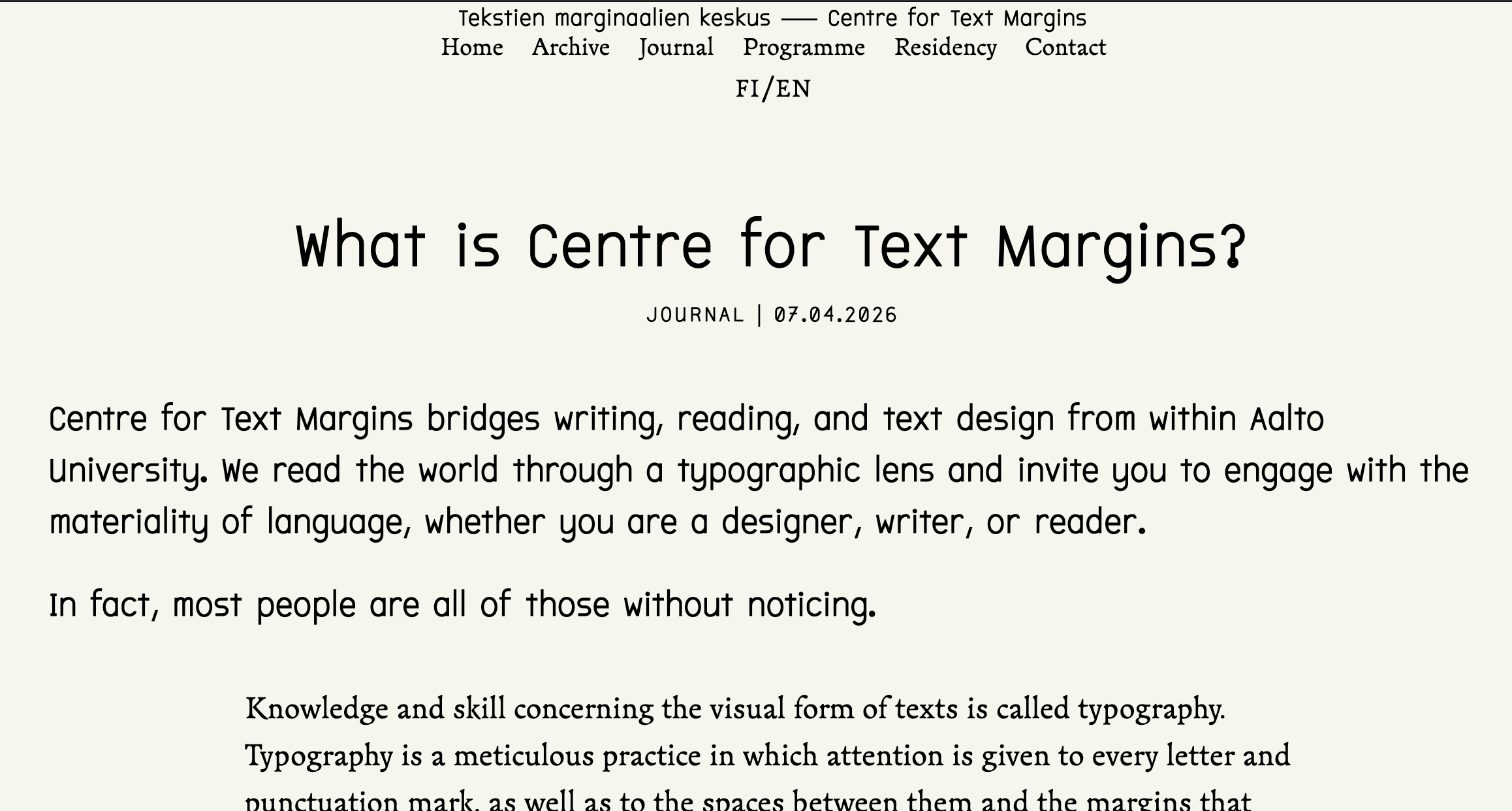
And here's a "logo" I made for the Centre:
It's not the best for longer texts, but works decently for headers & other knick-knacks. The arcTo command is quite "economical". For example, the letter "S" is only 5 commands in total (moveTo, arcTo, arcTo, conicTo, arcTo). I also tried to balance the kind of DIN-like engineeringed geometricity (look at the letter "C" for example) with some more unexpected organicness, like seen in this "O". Four well placed arc anchors is all that's needed:
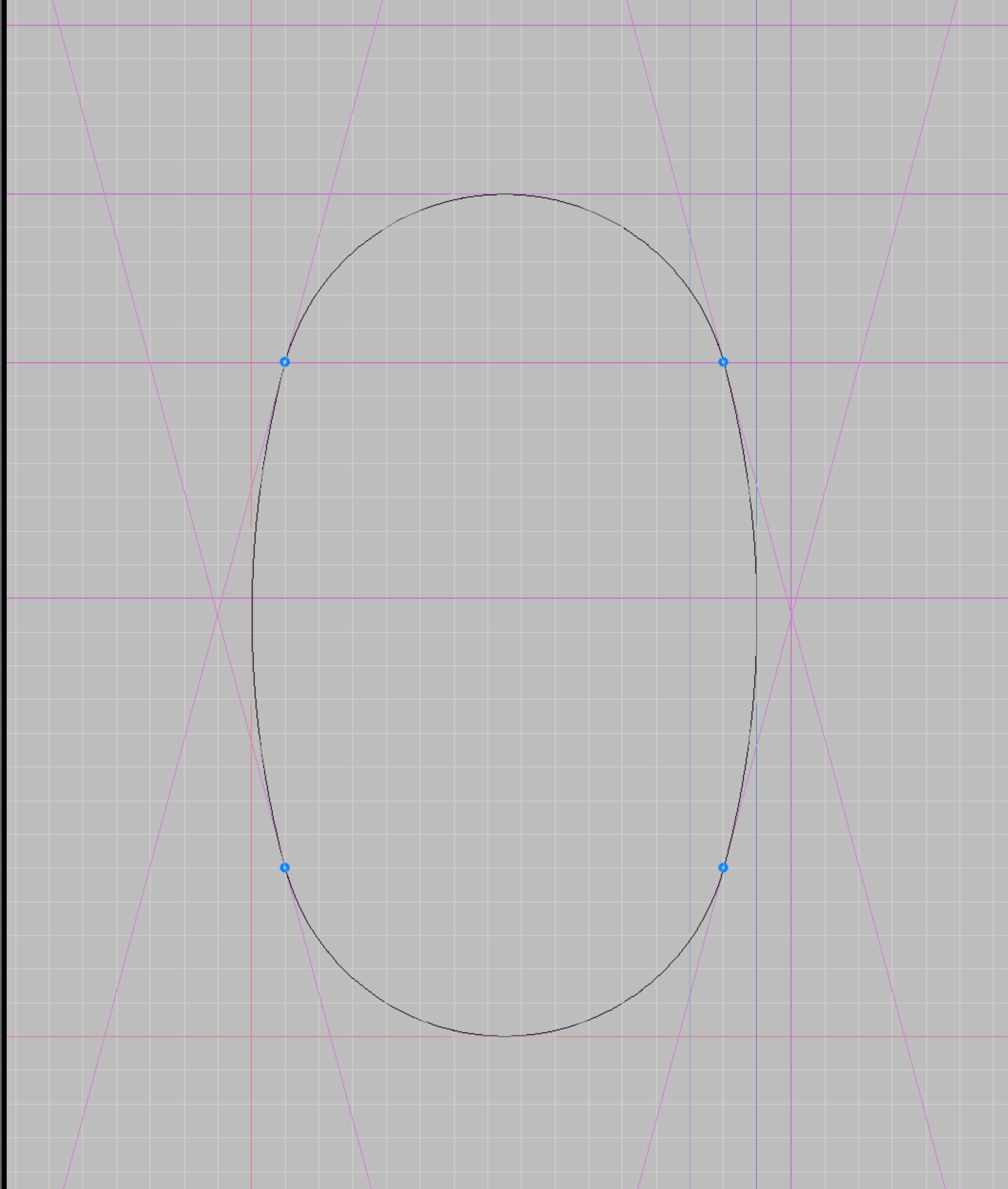
Overall, I'm pretty excited for this new primitive and for finally being able to use it to produce actual, useable fonts! I still need to sit down and play around with the arcs a lot more to really explore its potentials and make some more fonts with it.
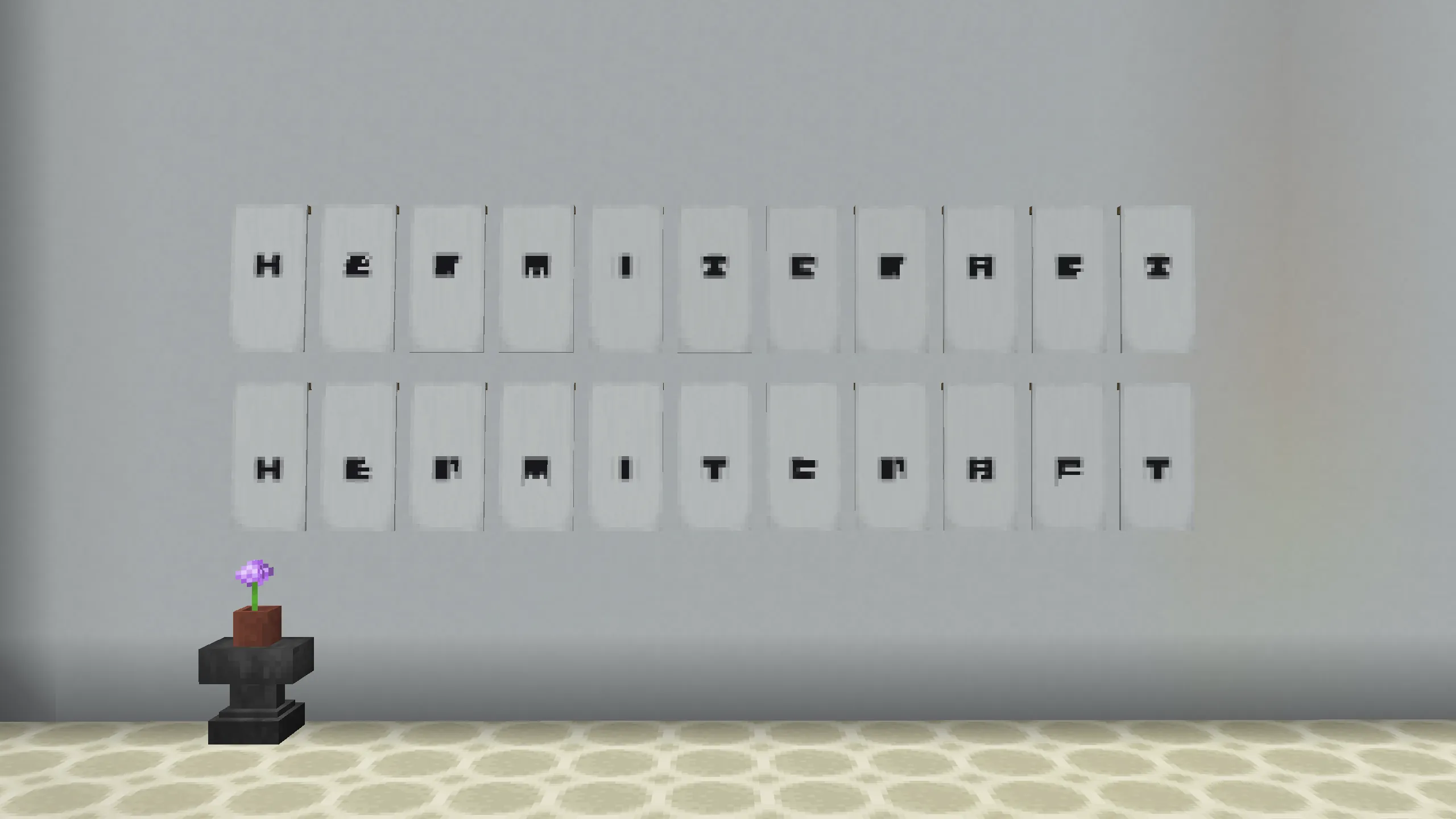
In February I also got an itch to play some Minecraft, which in turn inspired me to update Bannermode, a web-based editor for designing complex Minecraft banner compositions I made initially in 2022. I added the two new banner patterns Mojang had released in a recent update, fixed some bugs and reorganized the UI a bit. Then, I made this mini-font with it:
View of the editor:
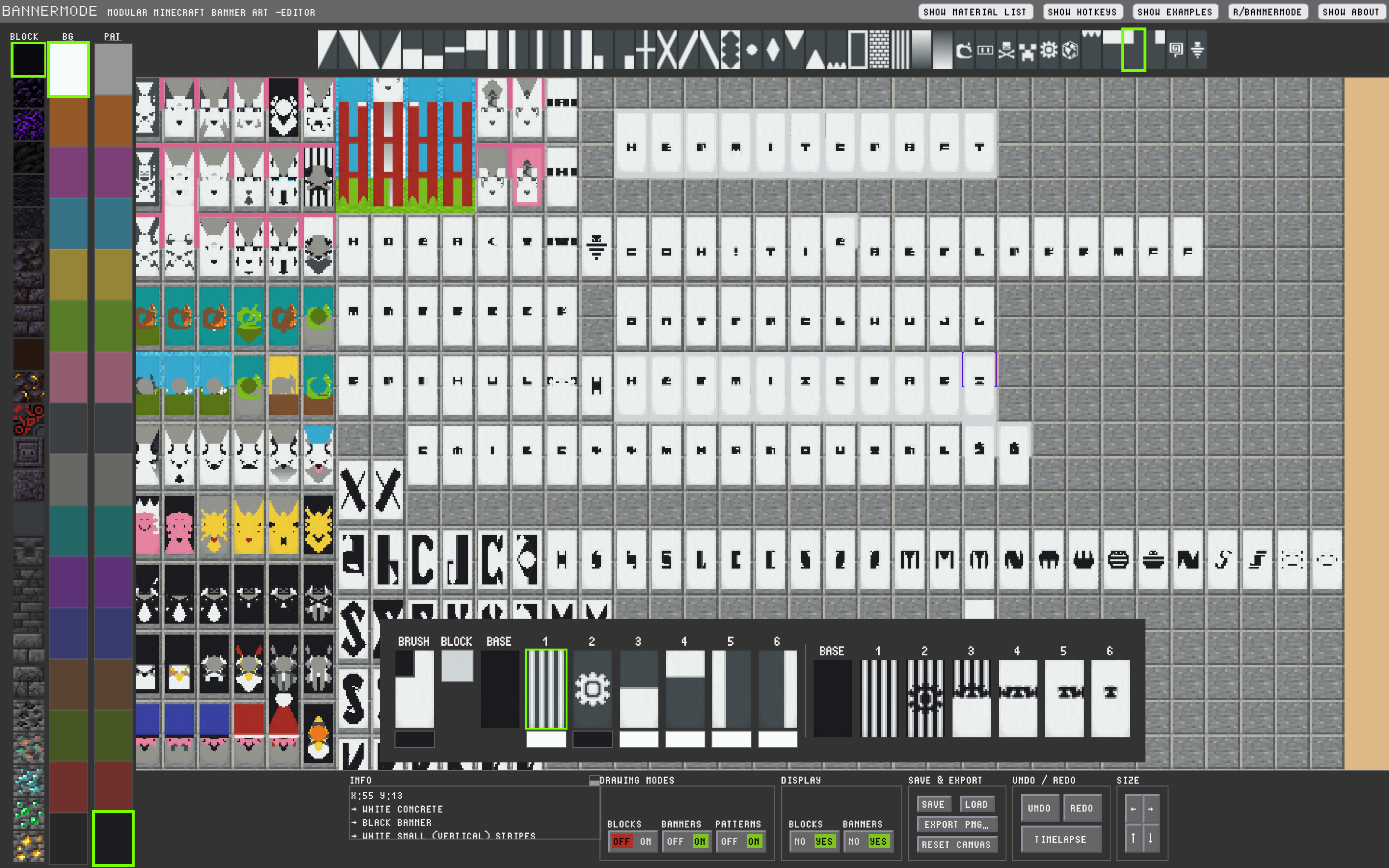
The banners are made by stacking different patterns on top of each other (and in different colors). It's pretty fun and challenging trying to figure out how the extremely limited selection of patterns can be used to render small letters. I couldn't make the whole alphabet, but managed to make enough to spell, for example, "hermitcraft". Talk about marginal text practices!