On giving talks "m" is a screw on letters as pictures at the Interfering Writing symposium, and a joint one with ASCII artist Adel Faure on ASCII art as a design practice. And repurposing my Unicode Drawing Club editor around Adel's jgs font.
On May 8th the Centre for Text Margins had its first proper public event, Interfering Writing: Symposium Between Designers and Writers. The event was wonderful, cozy and inspiring. Arja, Matleena and Aliisa did a great job at organizing it. A video recording of the whole event can be watched at Vimeo.
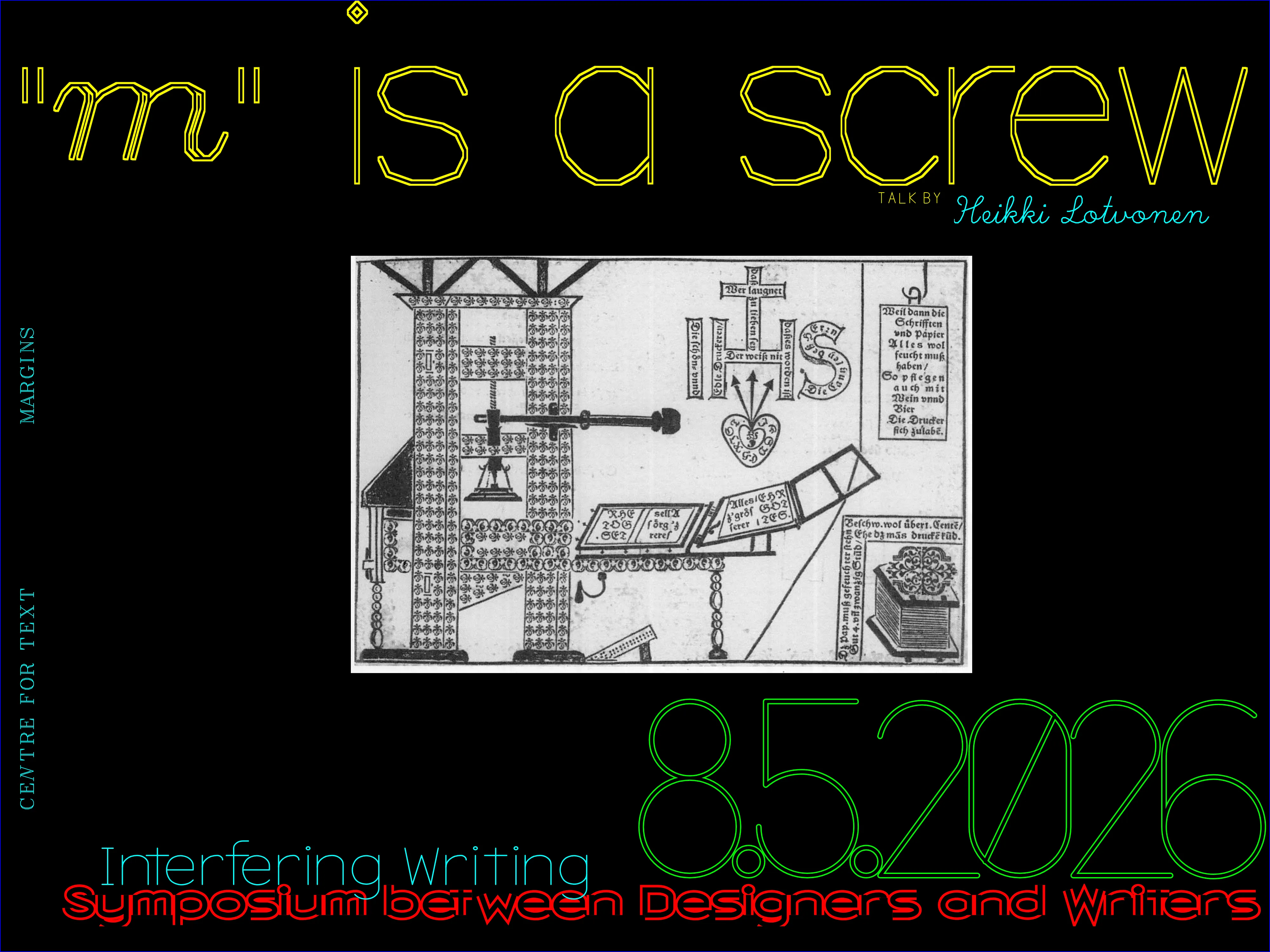
I gave a 20 minute talk at the event, with the title "m" is a screw. I had another talk lined up later in May (more about it below), which was more centered on my residency, so for the symposium I wanted to do something a bit different: showcase some interesting pictorial letterpress works, with a focus on images that feature letters used as shapes. The talk followed mostly chronological order of a long and strange history of letters as pictures: "m" as a screw in 1670s Austria, or "o" as a pebble in early 1900s Japan, and many other cases. The question I raised was: where is the boundary between text and image? The implied answer is that it's extremely muddy. My hope was that writers in the audience would start thinking more of the graphic potential of letters, and designers becoming more aware of the typographical possibilities of letterforms.
You can watch my talk below or on Vimeo (full stream):
The talk slides are also available at https://tekstien-marginaalien-keskus.aalto.fi/residenssi/heikki/m-is-a-screw-lecture/
Arja had asked me to host a public talk about my residency at some point, but I could organize it any way I like. So, I figured it would be a great opportunity to invite my friend and a fellow ASCII artist, Adel Faure, over to Finland for a joint talk. I was very happy that he agreed and we managed to find time for it!
I met Adel online about 5 years ago. He's a French ASCII artist working with text and code, making fonts, art, tools, games, music and performances. I like his experimental approach to text-based interfaces and share his interest in how tools shape creation and culture. He's also into all kinds of unconventional forms and practices from a "computing era considered obsolete", but instead of turning his attention to nostalgia and bygone times, he's using them as inspiration for making incredible and experimental art and games. Just take a look at his website, adelfaure.net!
We settled on giving a talk that focuses on how ASCII art can act as a theoretical & practical foundation for our two completely different, yet strikingly similar, design practices.
Here's the poster I made for the event:
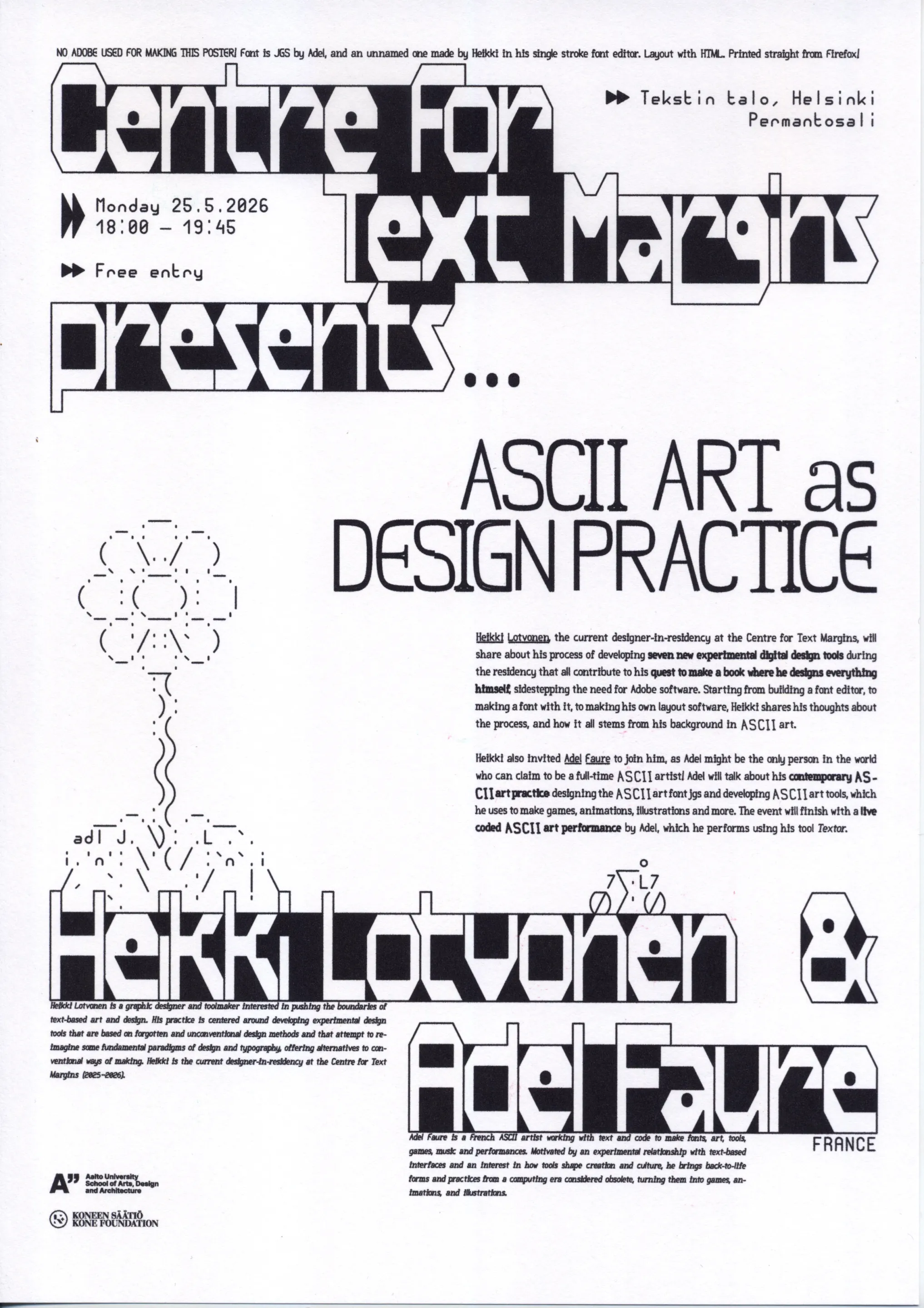
I was originally planning on using Adel's amazing ASCII art editor + live coding environment Textor for it, but at the time it was still under development, so I had some issues with keyboard shortcuts. Instead, I added Adel's ASCII art font jgs to my Unicode Drawing Club -editor, and added a bunch of new features to it.
Unicode Drawing Club is, as it's name suggests, is a Unicode art editor, meaning that instead of the 256 character ASCII range limit common in many textmode editors, it supports (almost) the whole unicode range of 159,801 characters. I originally made the editor some years ago, but it hasn't gotten much use because I never totally finished it. The default font I had for it was Viznut's unscii, which is a "set of bitmapped Unicode fonts based on classic system fonts". The problem Unscii aims to fix is a full coverage of unicode characters, but in a font style that supports ASCII-like character cell art. Viznut puts it well: "no commonly accepted Unicode graphics font, no Unicode art scene; no art scene, no font support", but I would add to that list "no Unicode art editors, no Unicode art". A font alone is not enough to spawn an art scene, a proper editor is also needed, which is why I made Unicode Drawing Club.
However, as it turns out, one of the best parts about ASCII art IS the limited character palette; when I started drawing with unscii, I spent most of my time just scrolling through the massive amount of available characters. The solution would have been curated sets or selections of good and interesting drawing shapes, which I did actually gather, but never implemented into the editor. So it's been sitting, useable, yet unuseable at the same time, for years...
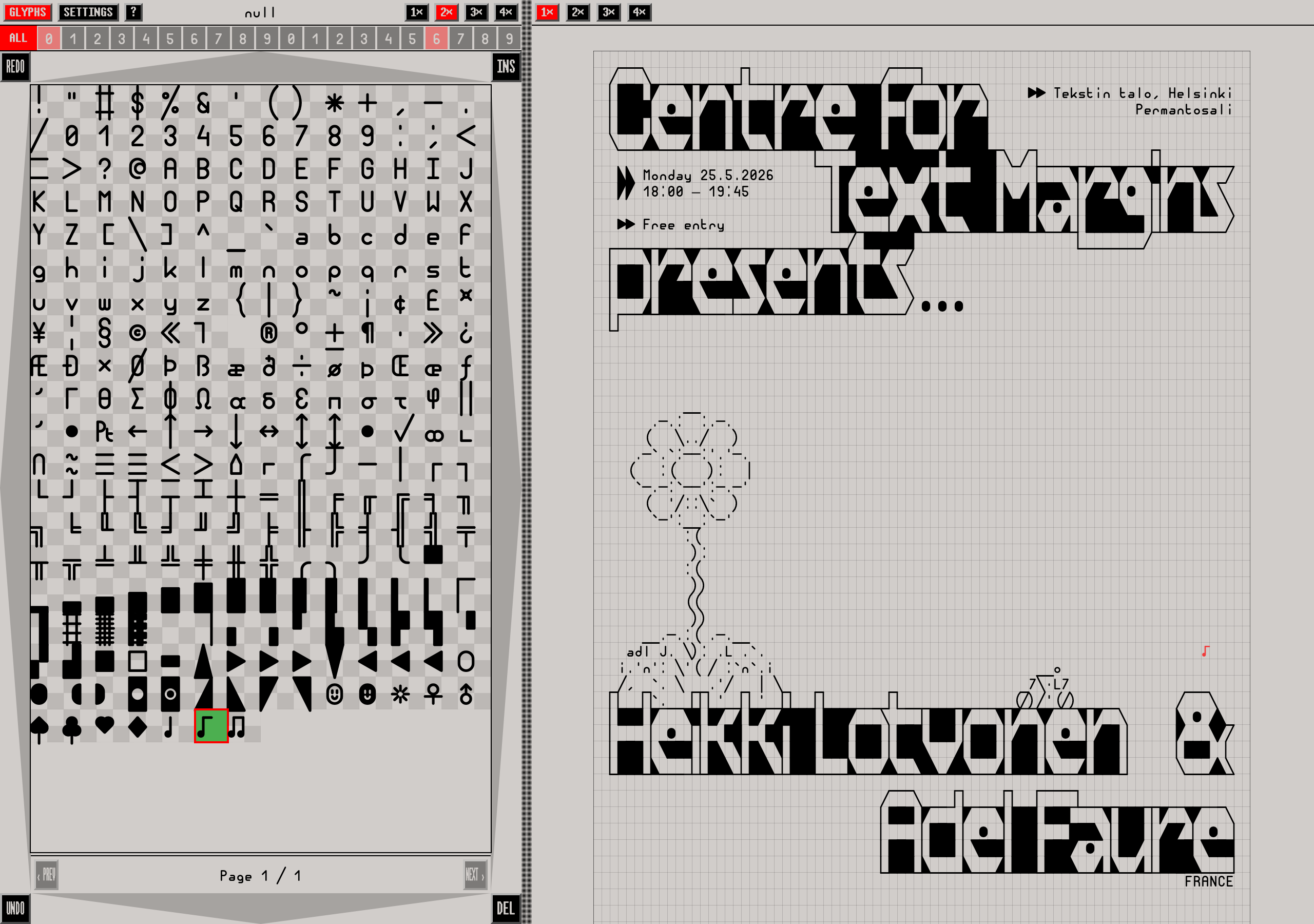
But, because Adel's jgs is specifically made for drawing art and based on Unicode (the vector version at least), and has a very sensible and good amount of characters, I resurrected and reused Unicode Drawing Club editor as a "jgs drawing editor"! At the same time, I added text copy+paste, and my favourite area selection functions and UX from PabloDraw/Moebius: drag to select an area, press "m" to start a "move" sequence, which grabs the area to be moved anywhere. Then, "s" stamps the selection, with "u" placing characters "under" other characters (so, not overlapping placed characters), and "t" for "transparent" (so empty spaces are not overriding other characters). The combo of jgs and these new functions actually makes it a really fun and quick workflow, especially when dealing with text and other design iterations.
For the poster, I used an alphabet Adel had made in 2025 as a base. Then, I modified the letters a bit, switched vertical bars to ones that hug the cell on either left or right side, and used block characters █ and ◣, ◤, ◢, ◥ to fill in the negative spaces.
Adel's alphabet:
  ___       _         _     _____
 / _ \   __| |  ___  | |   |  ___| ___   _   _  ____    ___
| |_| | / _  | / _ \ | |   | |_   |__ \ | | | ||  _ \  / _ \
|  _  || | | ||  ___|| |   |  _|   __| || | | || | |_||  ___|
| | | || |_| || |___ | |   | |    / _  || |_| || |    | |___
|_| |_| \____| \___/ |_|   |_|    \____| \____||_|     \___/

My remix:
  ___           _   _____
 / _ \ __▕▔▏ __▕▔▏  ▏ __▕___ _   __       _
▕ ███ ◤ _▔ ◤▔  ◥▕███ ███▔__ ◥ ███ ▏◤▔▔◥◤▔▔ \
▕  _  ▏███ ▏ ●_▕▕███  _ ███◣ ▏███ ▏◢█◤_▏ ●_▕
▕ ███ ▏███ ▏◥███▕███ ███◤ ●  ▏██◤ ▏████ ◥███
▕_███_◣____◣___◢▕███_███◣__◢_◣__◢_▏████◣____▏
Another "Textmode friend", retroshark, is also working on a new, very promising but still unpublished, new textmode art editor. I got to test it a bit and it inspired me to do a few additional changes to my Unicode Drawing Club -editor: switched the sidebar to the left side and added WASD as navigation for the glyph sets. I also added a feature which turned out really handy when working with jgs: you can right click on any glyph, and it will make a "glyph set" with the currently selected glyph. Then, pressing "f" cycles through the set. This makes it fast & easy to switch to a connecting or symmetric piece without having to select it every time. Eg, making a set out of █ and ◣, ◤, ◢, ◥ made it really fast to cycle between them to find the right piece, removing the need to select them from the character list every time.
The circle and flower are also Adel's art that I grabbed from his ASCII art gallery.
And then, the poster itself is made web-to-print! The CSS for the ASCII & to get print ready PDF is super simple:
section {
  /* Set page size and margins in mm (A2) */
  width:420mm;
  height:594mm;
  padding-top:12mm;
  padding-bottom:12mm;
  padding-left:10mm;
  padding-right:10mm;
  /* Set this, so we can use cqw units for the pre element */
  container:inline-size;
}
pre {
  font-family: 'jgs_Font';
  line-height:1;
  /* The column width I used for the poster is 80 */
  /* and the font is twice as tall as wide.. */
  /* so we get the font size by 100 / 80 * 2 = 2.5 */
  font-size:2.5cqw;
}
@media print {
  @page {
    /* This tells the browser what size to print the page (A2) */
    size: 420mm 594mm;
  }
}
The talk event itself was more low budget, so there's no recording of it. The talk slides can be found here, but be warned: the page loads about 250 megabytes!
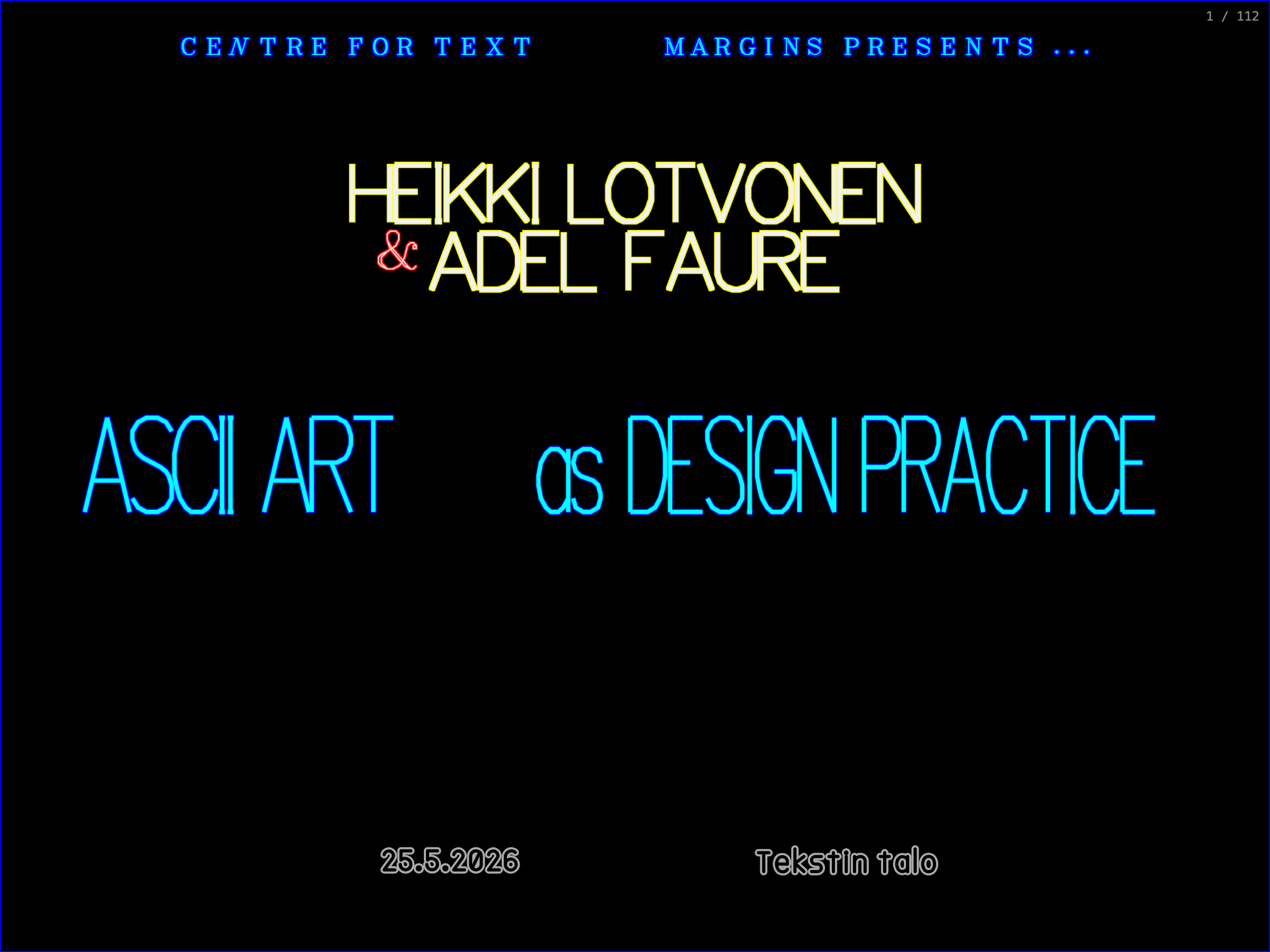
I was a bit nervous if people would come because I didn't market it that much, but was very happy that the room was almost full.
Adel talked about his contemporary ASCII art practice: designing the ASCII art font jgs and developing ASCII art tools, which he uses to make games, animations, illustrations and more. He finished the event with a crazy cool live coded ASCII art performance which he performed using his tool Textor. pulusound shared a small clip of the performance on Mastodon:
I only had ~30 minutes to present my own work, so I didn't have time to talk about ALL I've done during my residency, so I decided to focus on the process of developing tools that all contribute to my quest to make a book where I design everything myself, sidestepping the need for Adobe software (starting from building a font editor, to making a font with it, to making my own layout software, etc...). But, I will make that a separate entry, so read all about it here: May — Making a book from scratch (PoC). Also, Adel stayed in Finland for few days after the event, so we had time to work on a project, which I'll get into in the June entry.